Evidence in, proof anyone can check out.
OMTIVO turns digital evidence into proof that anyone can check without trusting the issuer. This tour walks the dashboard where that happens — the real interface, running today against the public testnet at app.omtivo.com. Every screenshot on this page is a real capture of that dashboard, showing testnet data.
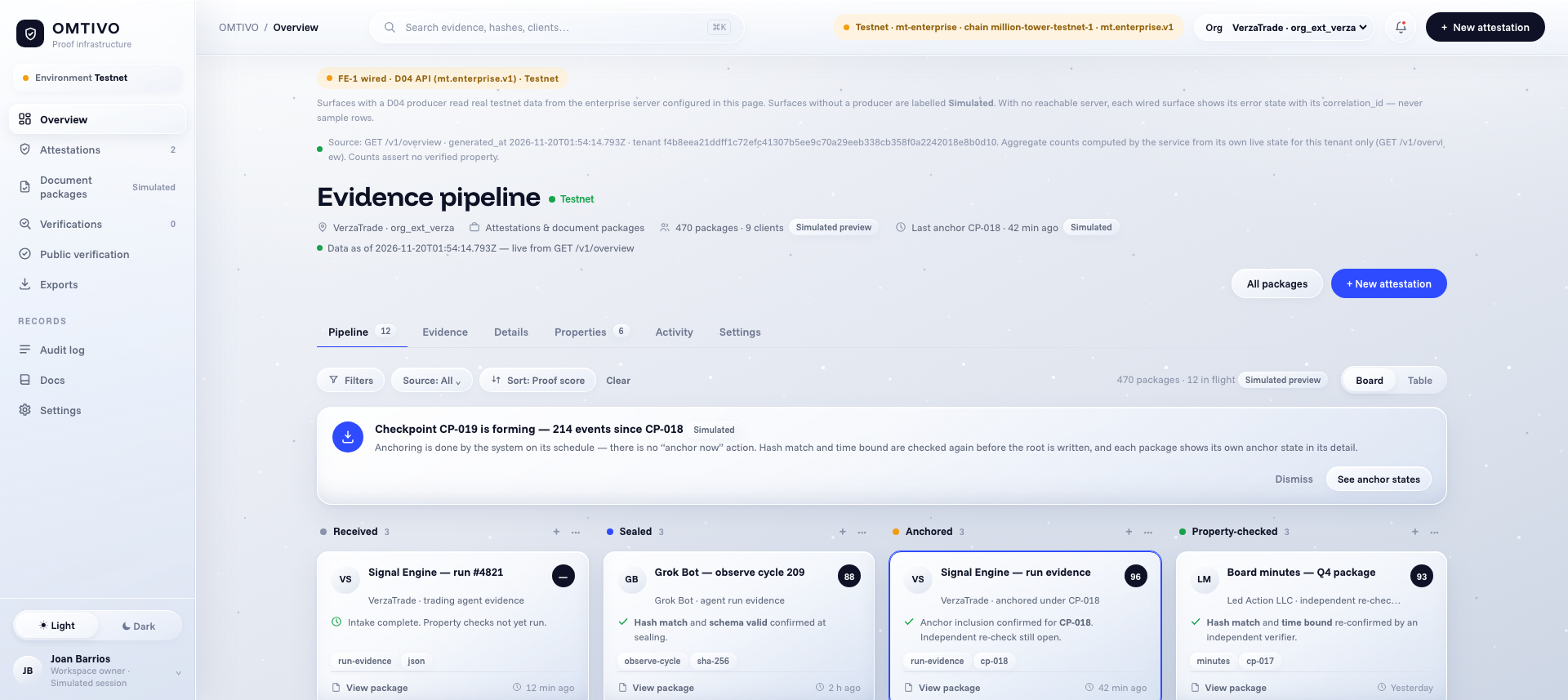
The overview: the tenant’s record at a glance
The first screen is the one every evidence tool opens with: what this tenant has sealed, and where it stands. The dashboard is connected to the real testnet backend, so the counters on this screen are the demo tenant’s actual testnet usage — read from the chain named in the product, million-tower-testnet-1. The word “Testnet” stays on screen in the product itself; this tour does not crop it out.
The board: every attestation, one card each
Attestations live on a board of uniform cards — same height, same structure, the state of the record and its package action in the same place on every card. A card’s state names what has happened to that record: the records in this capture are sealed and anchored in a checkpoint, and the product says so in those words. A state is never a blanket “verified” — what each state means is judged property by property, in the Verify view below.
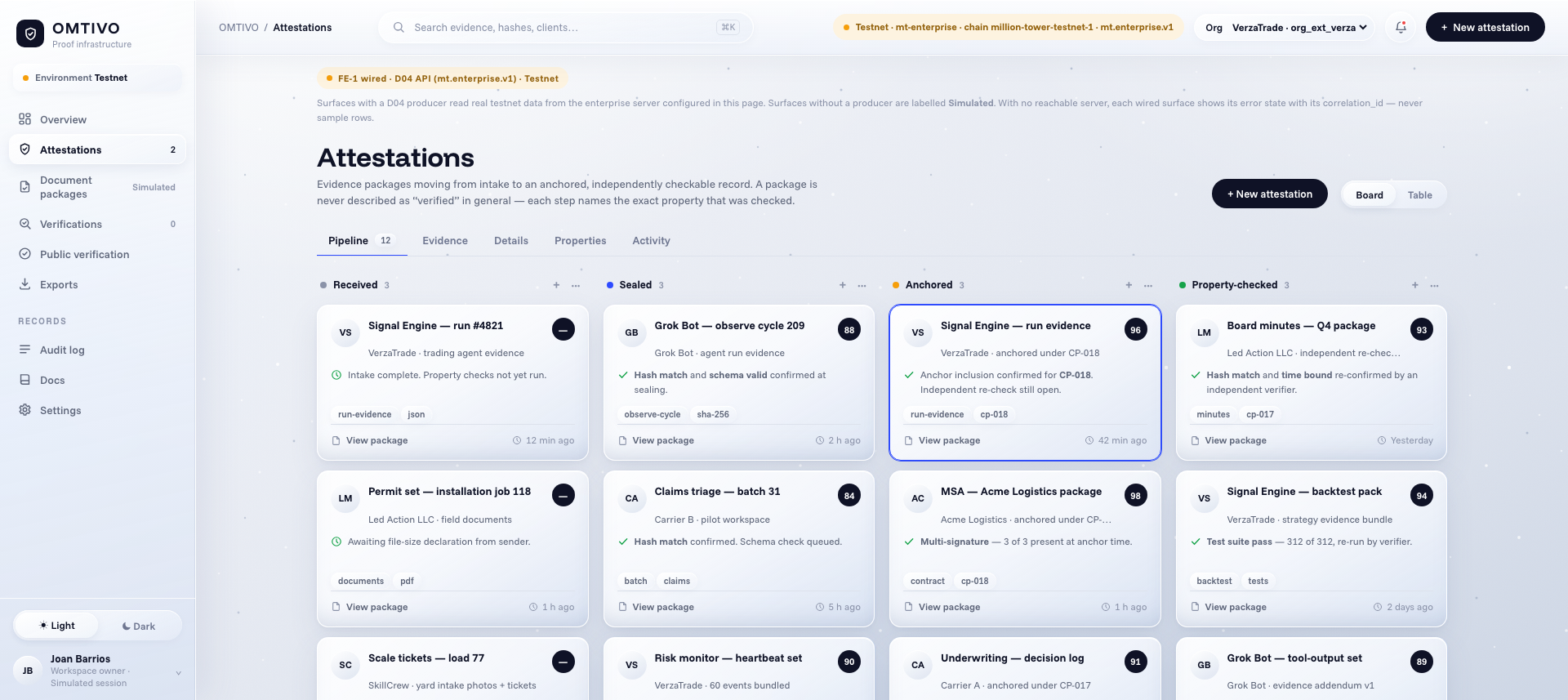
What to notice: the label travels with the record. Wherever a fixture record appears — board, detail, export — it carries its testnet-fixture label with it.
Create: drop the evidence, the browser hashes it
Creating an attestation starts with the evidence itself. Step 3 of the flow takes real files — drag them in or click to browse — and the browser computes each file’s SHA-256 hash locally, listing every file with its name, size and hash before anything is sent anywhere. Those real bytes are what the later steps review and sign; a pasted sample text remains available when you have no file at hand.
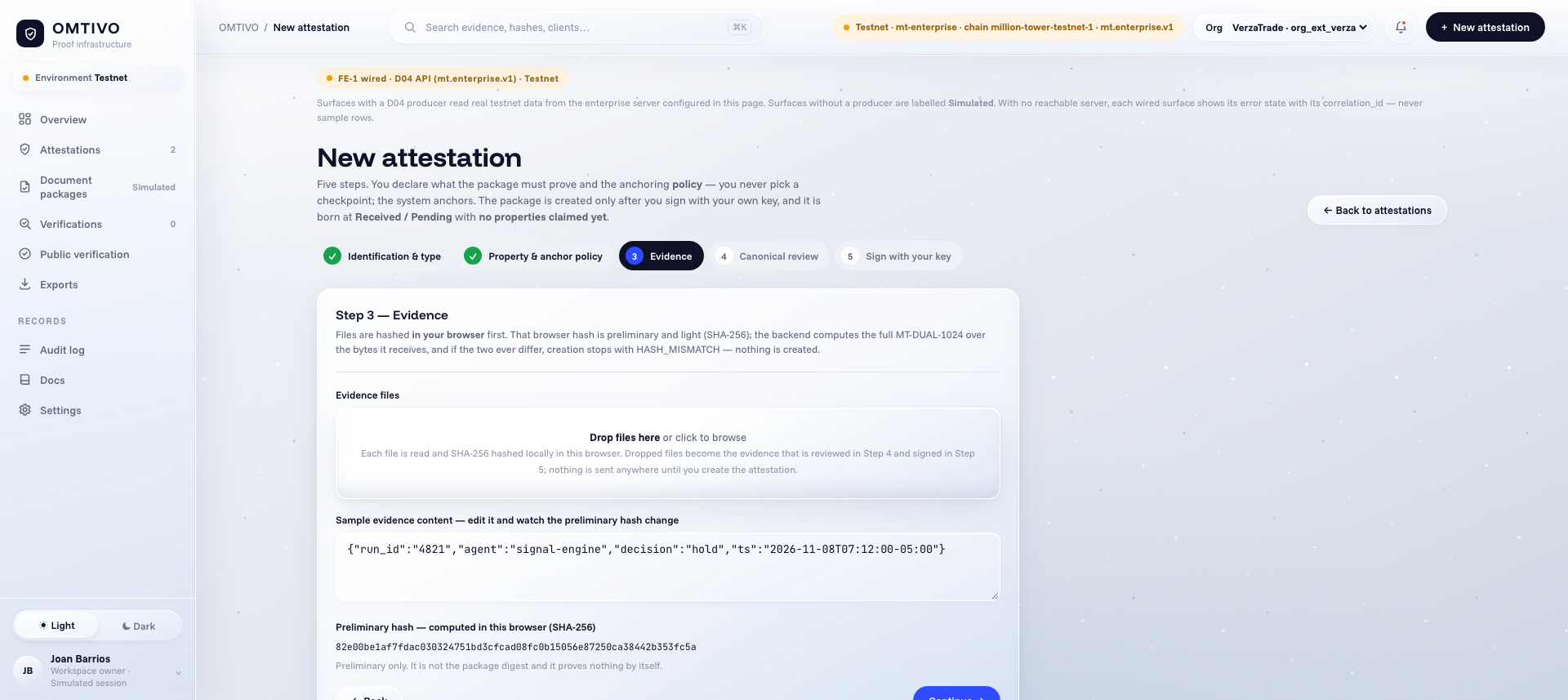
Stated plainly: on this public demo, the last step of creation is switched off — the interface is the real one, and the walk from evidence to signature works, but submitting a new attestation to the demo tenant is refused, so the public tenant stays read-and-verify. Creation opens with enterprise tenants on the production network.
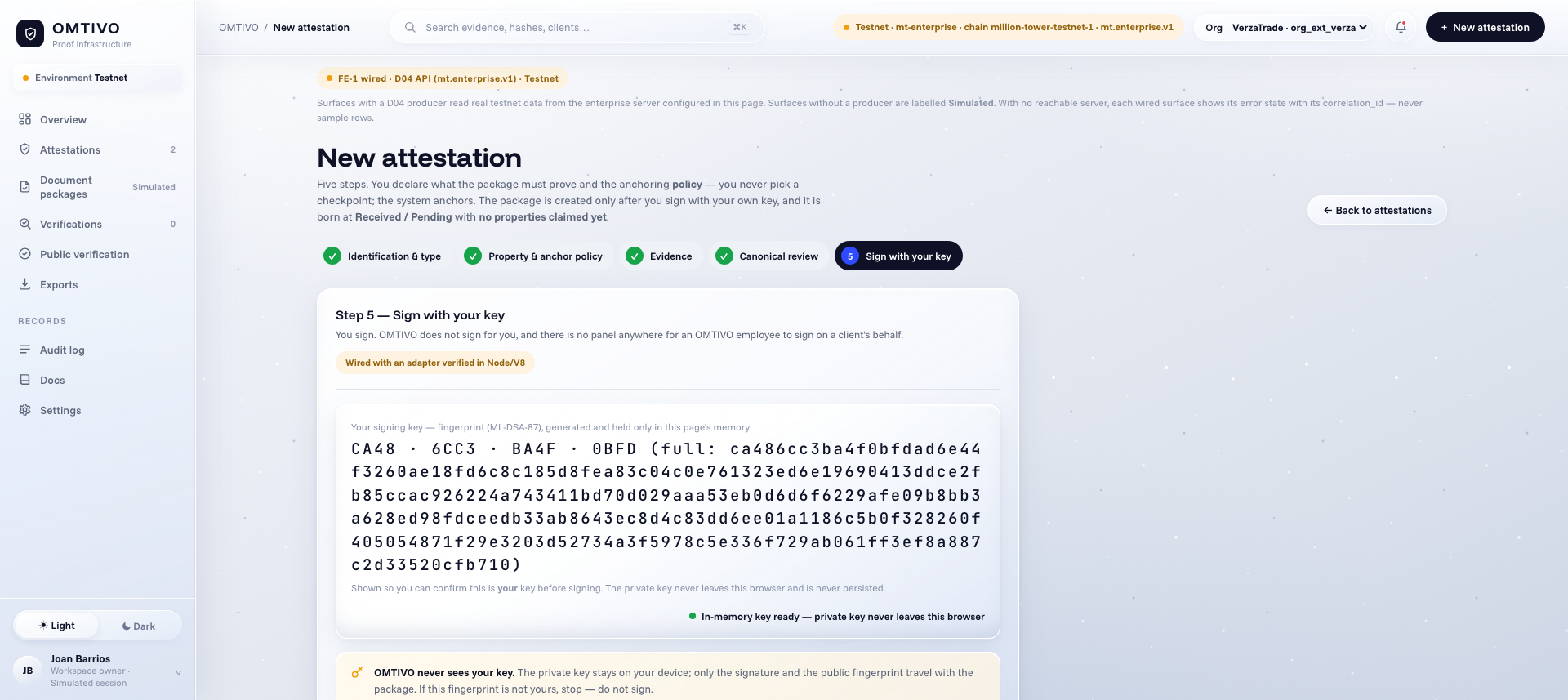
Sign: your key, its fingerprint in full
Step 5 is where the attestation is signed with your key — OMTIVO signs with the ML-DSA-87 signature scheme. The screen shows your key’s full fingerprint, wrapped inside its card so it can be read and compared end to end. A fingerprint you cannot read in full is a fingerprint you cannot check; nothing on this screen is truncated.
Verify: judged property by property
This is the screen the whole product exists for. Verification never returns one blanket verdict: it judges each named property separately, and each property names only what it proves. On the demo record, the hosted verification reports these properties — and shows the properties it did not check labelled NOT CHECKED, not hidden and not rounded up to a pass.
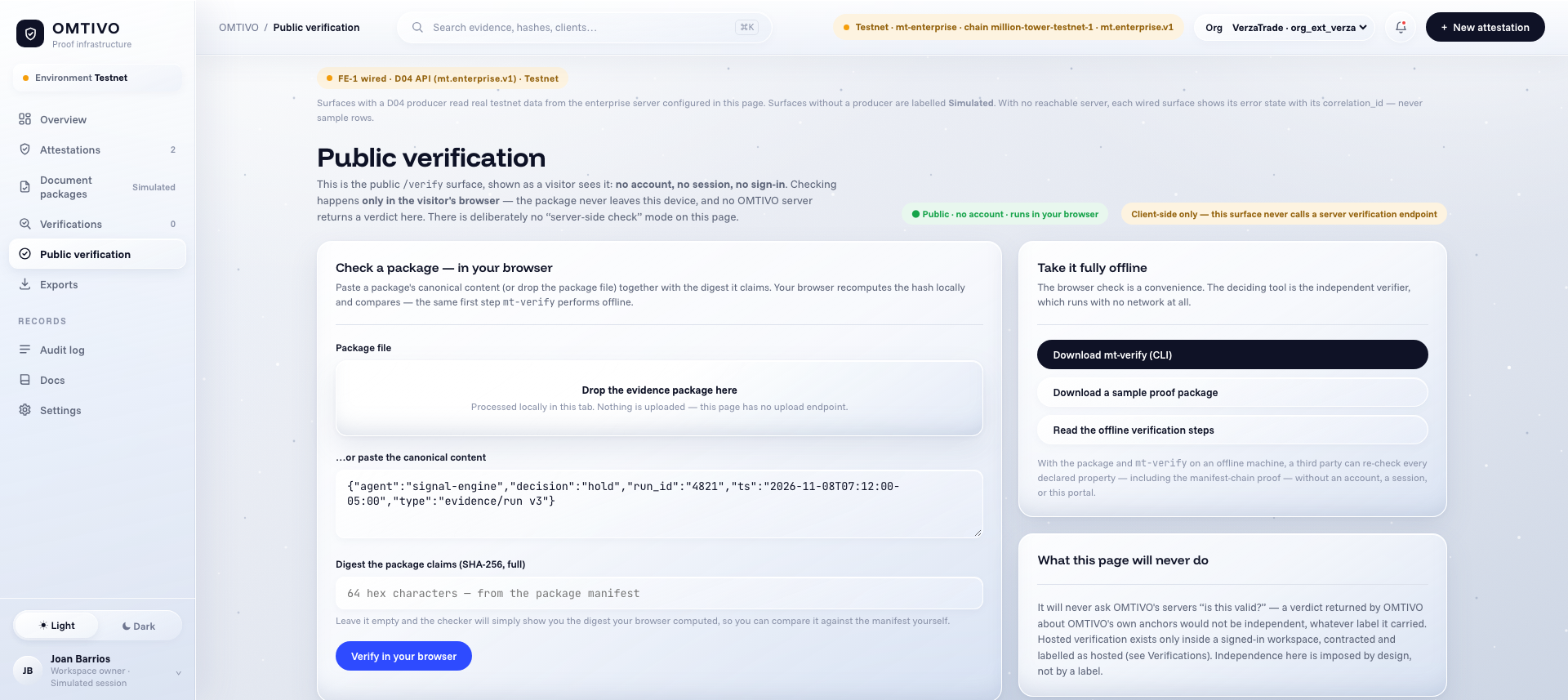
The independent route: any record can be exported as a self-contained evidence package and checked offline, without an OMTIVO server — the same judgment, run by whoever holds the package. Hosted verification is the fast look; the package is the proof.
The same dashboard, on a phone
The dashboard opens in its light platinum-crystal theme on every device, phone included — same records, same labels, same per-property verdicts, in a single column. What is testnet on desktop is testnet on mobile; the labels do not shrink with the screen.
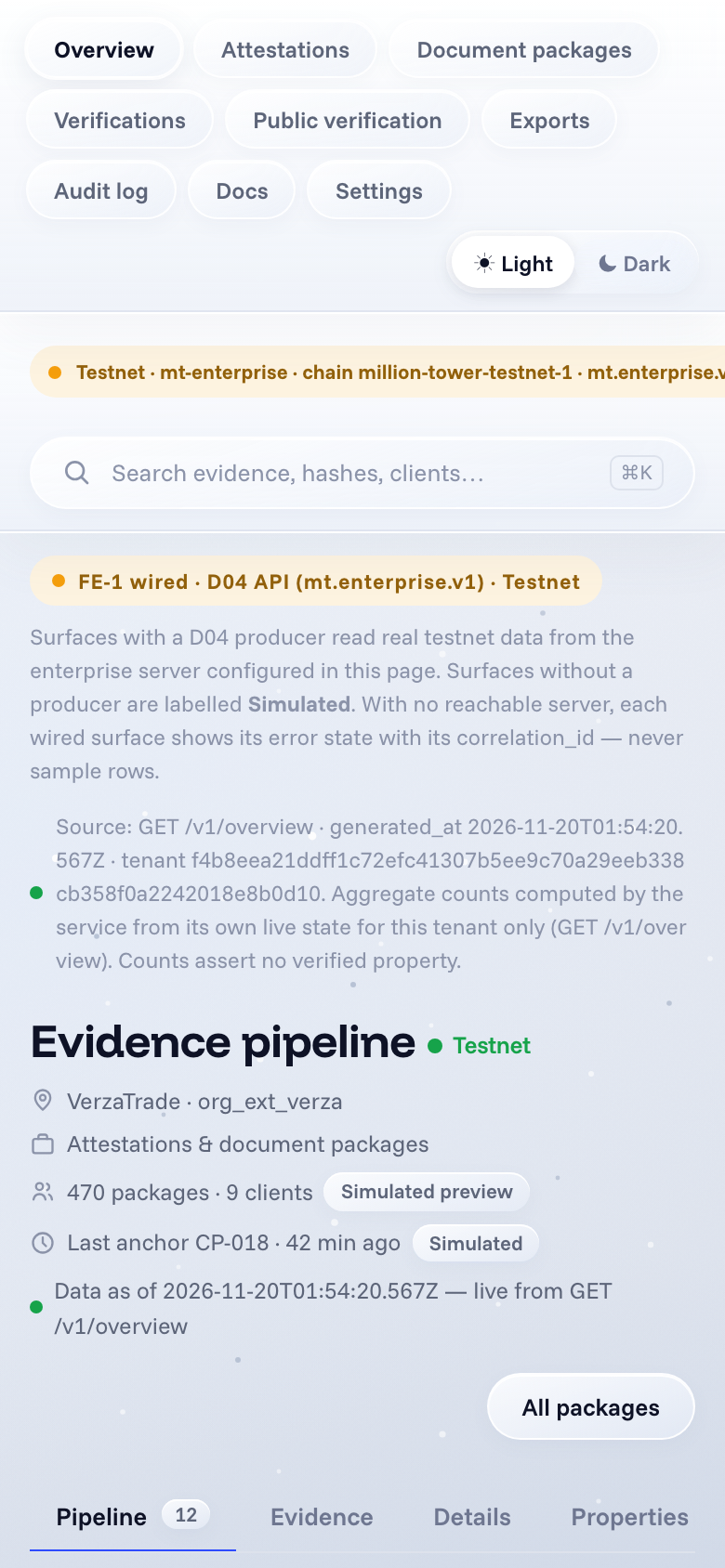
Status, stated plainly
Everything in this tour is the public testnet: a demo tenant, seeded fixture records, and a backend that answers for real — reads, exports and hosted verification are live, and creating new attestations on the public demo is switched off, as stated at the Create stop. A few surfaces inside the dashboard are still simulated, and the product labels them “Simulated” where they appear; this tour shows only the live surfaces. The production network, enterprise tenants and paid services launch only when the evidence programme closes. Nothing on this page is a product you can buy today.
Not accredited — read this before the screenshots
OMTIVO’s evidence programme is not accredited. Its current verdict is: POST-QUANTUM NOT ACCREDITED.
This tour shows the product as it runs on testnet; it does not certify it. “Post-quantum” on this page names the signature scheme in use — ML-DSA-87 — and is not a claim of accreditation, certification or compliance with any standard.
The golden rule of this site still applies: no claim on this page says a delivery is “verified” without naming the exact property that was checked.
See it running: open the live testnet dashboard — or read how the signature scheme compares and what OMTIVO can and cannot show a regulator.
Back to the site: Return to the OMTIVO home page for services, what proof means, verification and status.